13 / 32 Class platformsHomework and practiceMarking and feedbackParent communication
Google Classroom
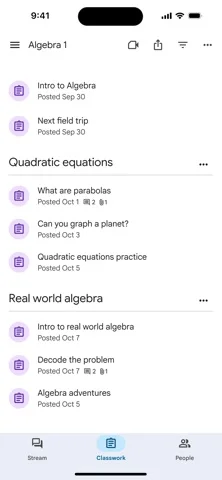
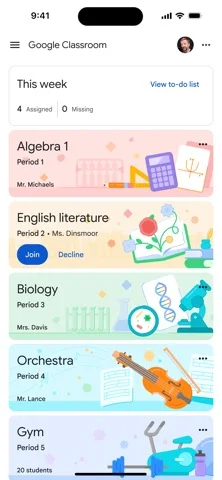
Set, collect and mark work online, with Docs, Drive and Meet built in and weekly summaries for guardians.

Good to know
- Free
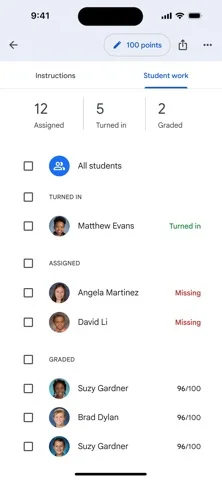
- Rubrics and comment banks for marking
- Guardian summaries by email
Worth knowing
- Plagiarism checks and analytics need paid editions
- Paid editions are bought per school
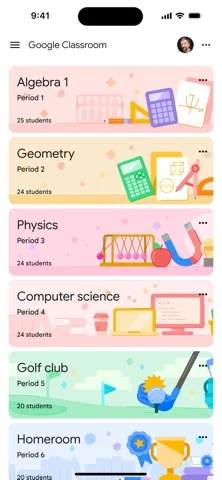
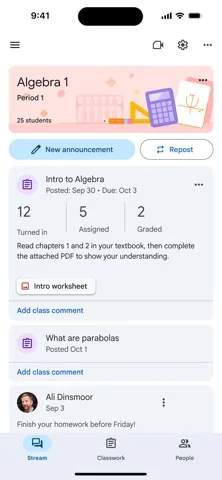
Screenshots
Features
- Assignments with rubrics, comment banks and bulk marking
- Originality reports
- Weekly guardian summary emails
- Gemini in Classroom
- Questions on YouTube videos
What it is
Google Classroom is where many schools set and collect work. You post an assignment, pupils hand in a Doc or a form, and you mark it with rubrics and a comment bank.
What is free
Free for schools on Google Workspace for Education Fundamentals, and for anyone with a personal Google Account.
What it costs
Education Plus costs £4.80 per user a year and is bought by the school. A Google AI Pro add-on is extra.
Where it works
It works on Web, iOS, Android. It is made for teachers in any country.
When to pick something else
If your school runs on Microsoft 365, Teams for Education does the same job there.
Details checked on 18 November 2026 against Google Classroom’s own website.
Frequently asked questions
Is Google Classroom free?
Free for schools on Google Workspace for Education Fundamentals, and for anyone with a personal Google Account. Education Plus costs £4.80 per user a year and is bought by the school. A Google AI Pro add-on is extra.
What is Google Classroom for?
Set, collect and mark work online, with Docs, Drive and Meet built in and weekly summaries for guardians.