04 / 32 SlidesWorksheets and resourcesClass platforms
Canva for Education
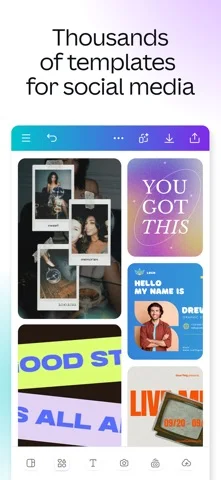
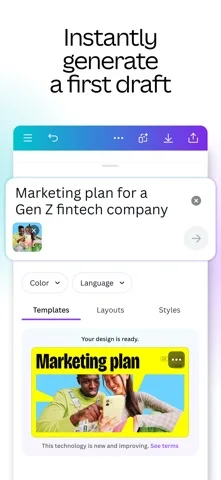
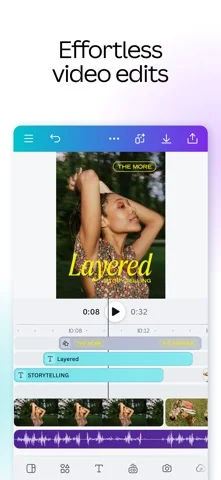
Design slides, videos, whiteboards and class resources from templates, and set design work for pupils.
Good to know
- Free for verified school teachers
- Huge template library
- Pupils can join and design too
Worth knowing
- You must verify with a school email or proof of employment
- Tutors and further education are not eligible
- Re-verification every three years
Screenshots
Features
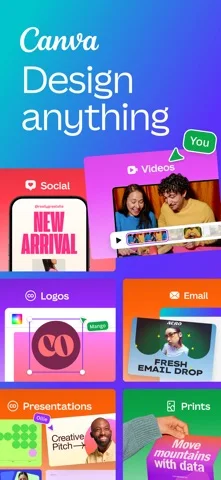
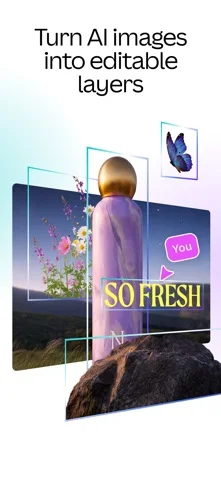
- Presentations, whiteboards, videos, docs and websites
- Ready-made templates and curriculum resources
- Class management and assignments
- Works with Google Classroom, Teams, Canvas, Moodle and more
What it is
Canva for Education is the free school version of Canva. Teachers use it for slides, videos and class resources from templates, and can invite pupils to design inside it.
What is free
Free for verified primary and secondary teachers and the pupils they invite, with most premium features, templates and class management.
What it costs
There is no paid plan for eligible school teachers. Tutors, home educators and further and higher education are not eligible for the free education plan.
Where it works
It works on Web, iOS, Microsoft Teams. It is made for teachers in any country.
When to pick something else
Canva gives you a blank template, not a finished lesson. If you want the content written for you, try a lesson builder.
Details checked on 18 November 2026 against Canva for Education’s own website.
Frequently asked questions
Is Canva for Education free?
Free for verified primary and secondary teachers and the pupils they invite, with most premium features, templates and class management. There is no paid plan for eligible school teachers. Tutors, home educators and further and higher education are not eligible for the free education plan.
What is Canva for Education for?
Design slides, videos, whiteboards and class resources from templates, and set design work for pupils.